SDOS 1.0

SDOS — Sell with ease!

Perfect order in sales. All your workflows — in one environment.
Transparent sales pipelines and detailed reporting.

12+modulesOrders · Planner · Clients · Invoices
Sales pipelinestransparent processesfrom order to invoice
Reportingdetailed picturesales under control

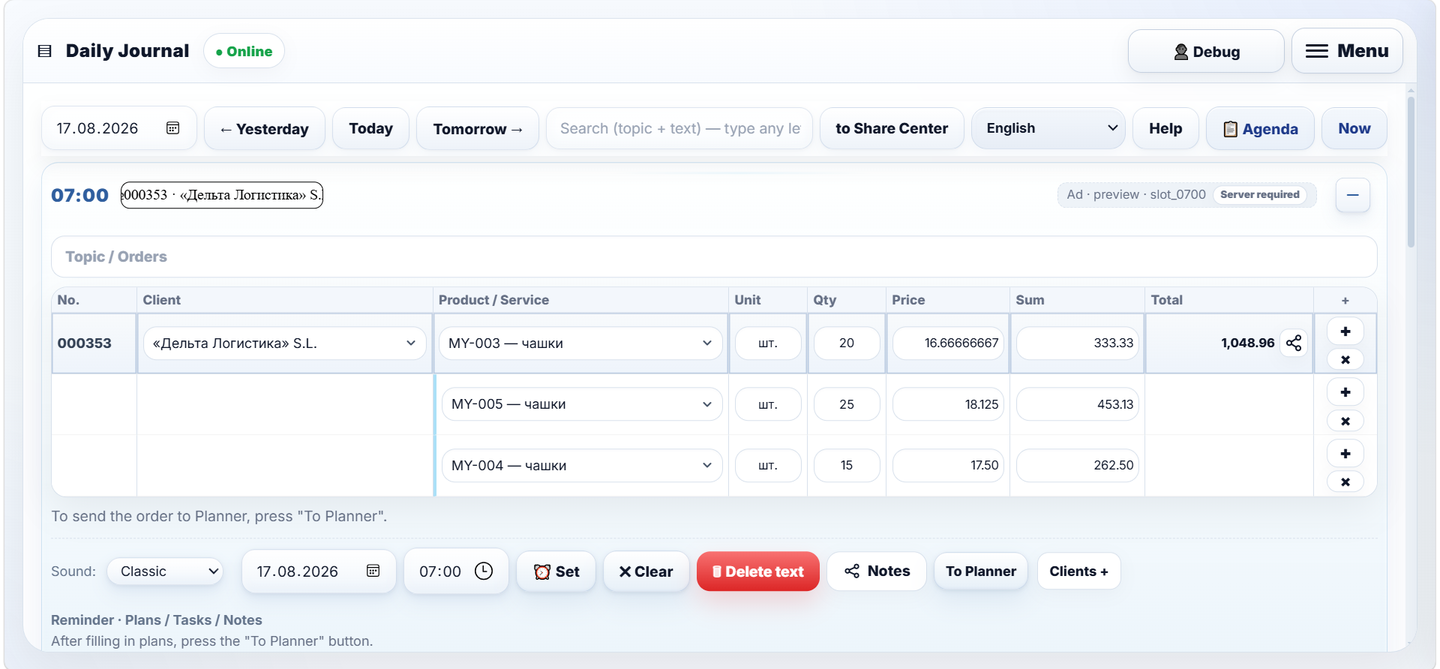
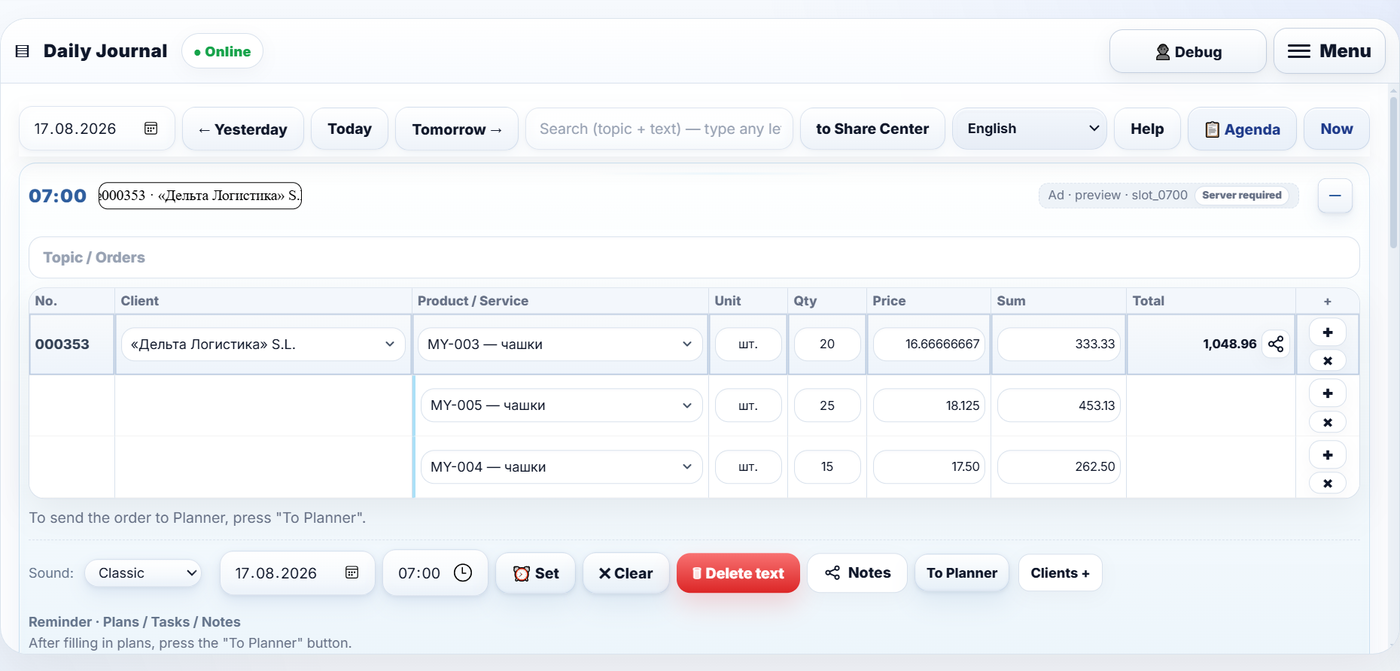
SDOS Daily Journal — an order entry with products, prices and client

About the system

Now work moves faster. Lose nothing.

From creating an order to issuing an invoice — in less than a minute!

Orders without pauses

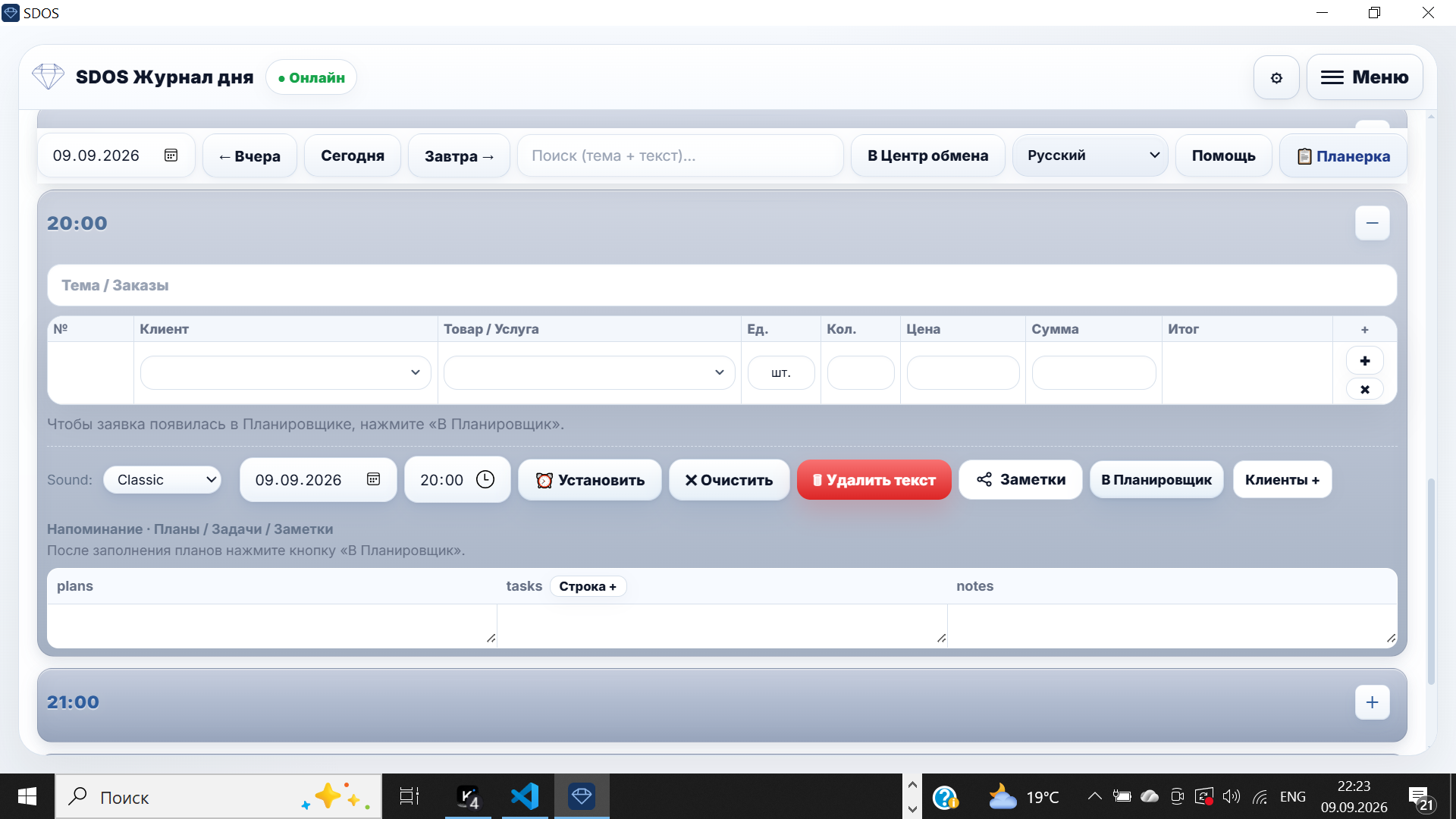
New orders one after another, without breaking your workflow.

SDOS order journal — entering a new order

Client and deal always at hand

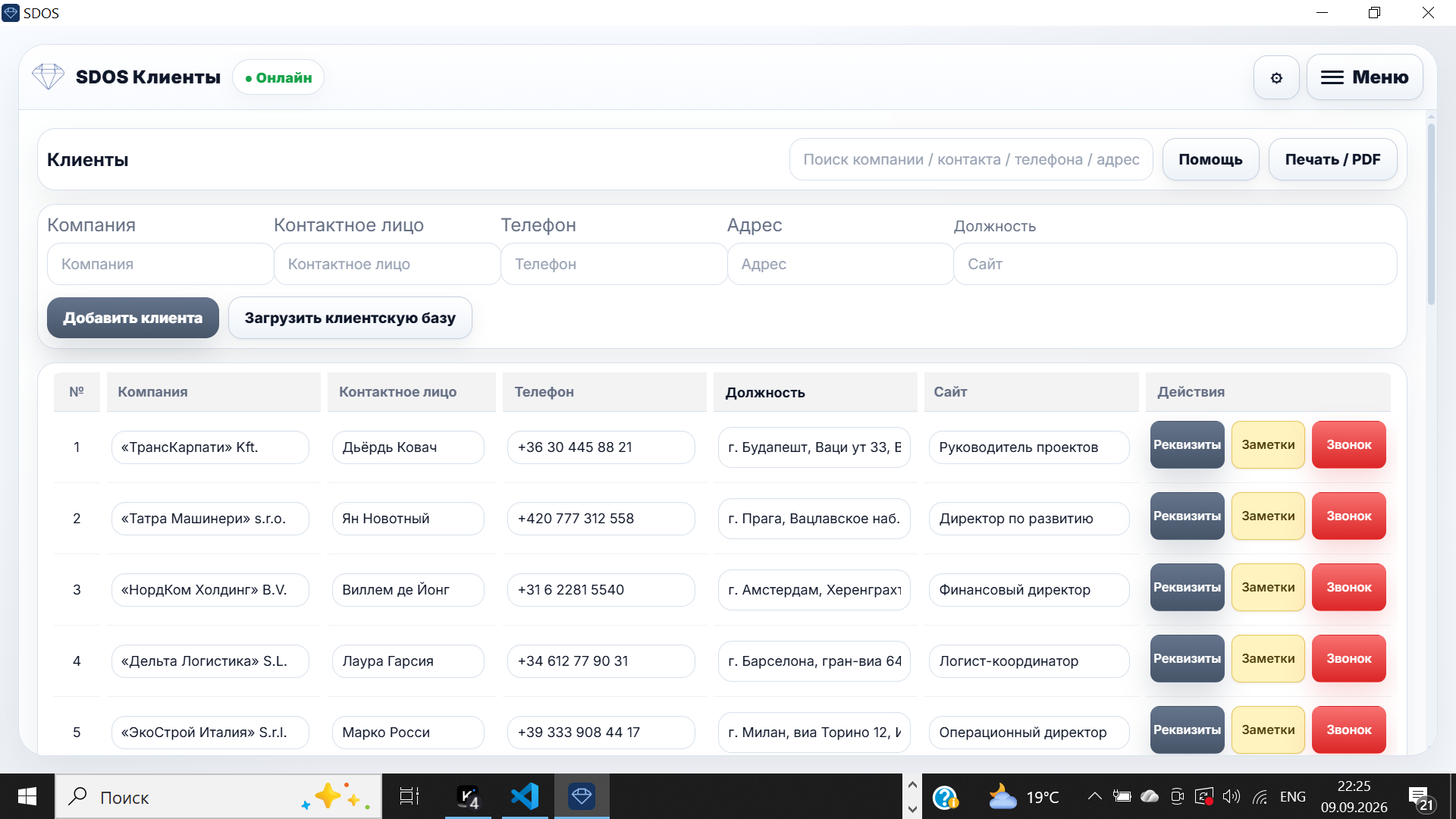
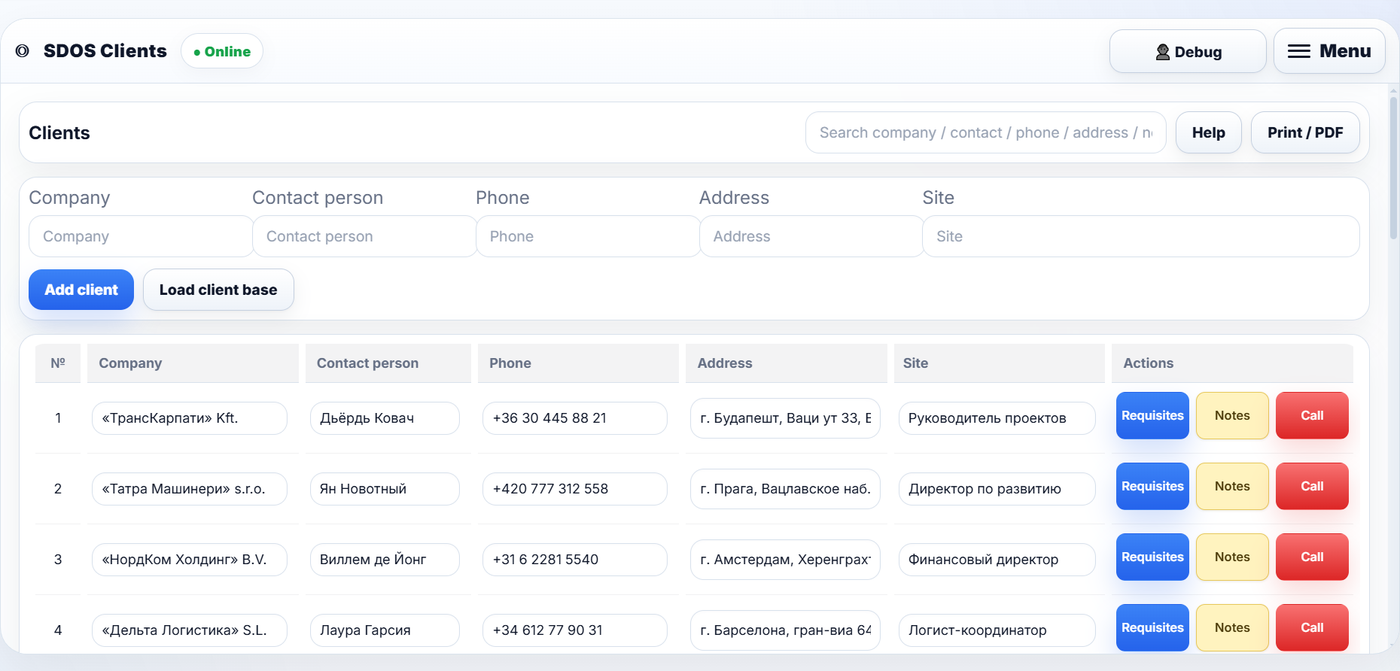
Every client and every deal is recorded. A call — in one click.

SDOS client base — client card

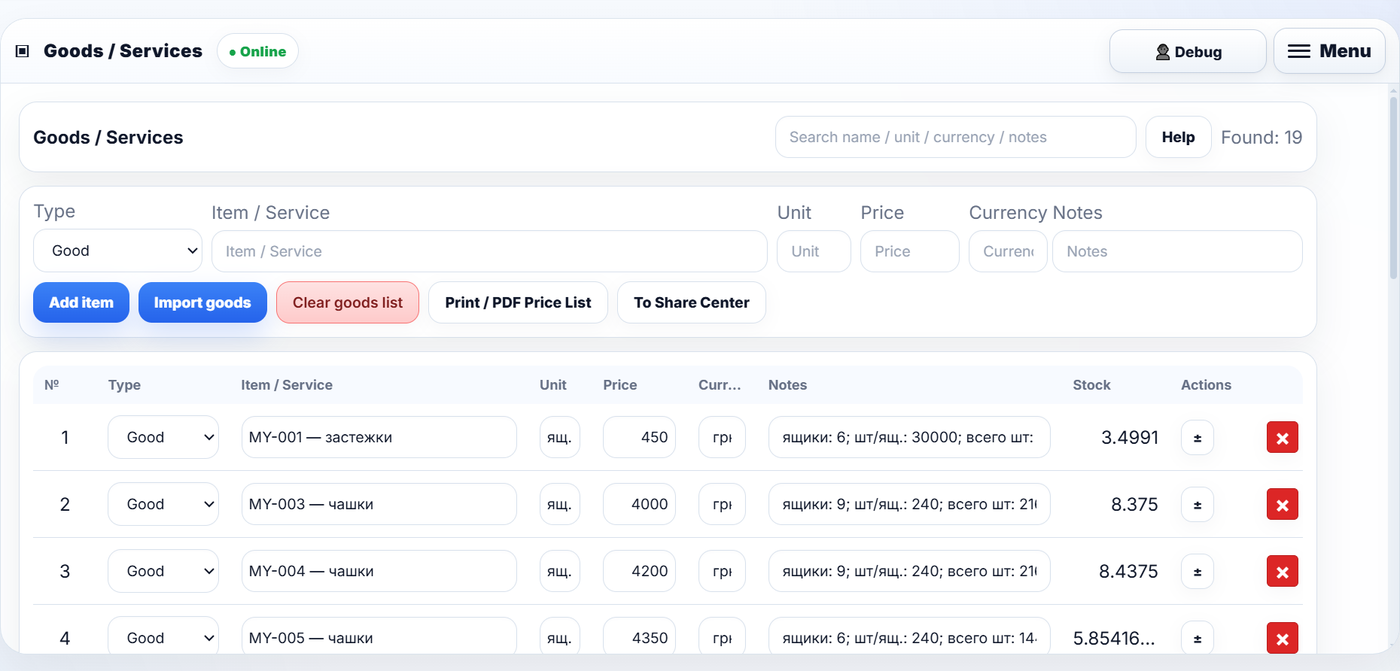
Smart product loading and up-to-date stock

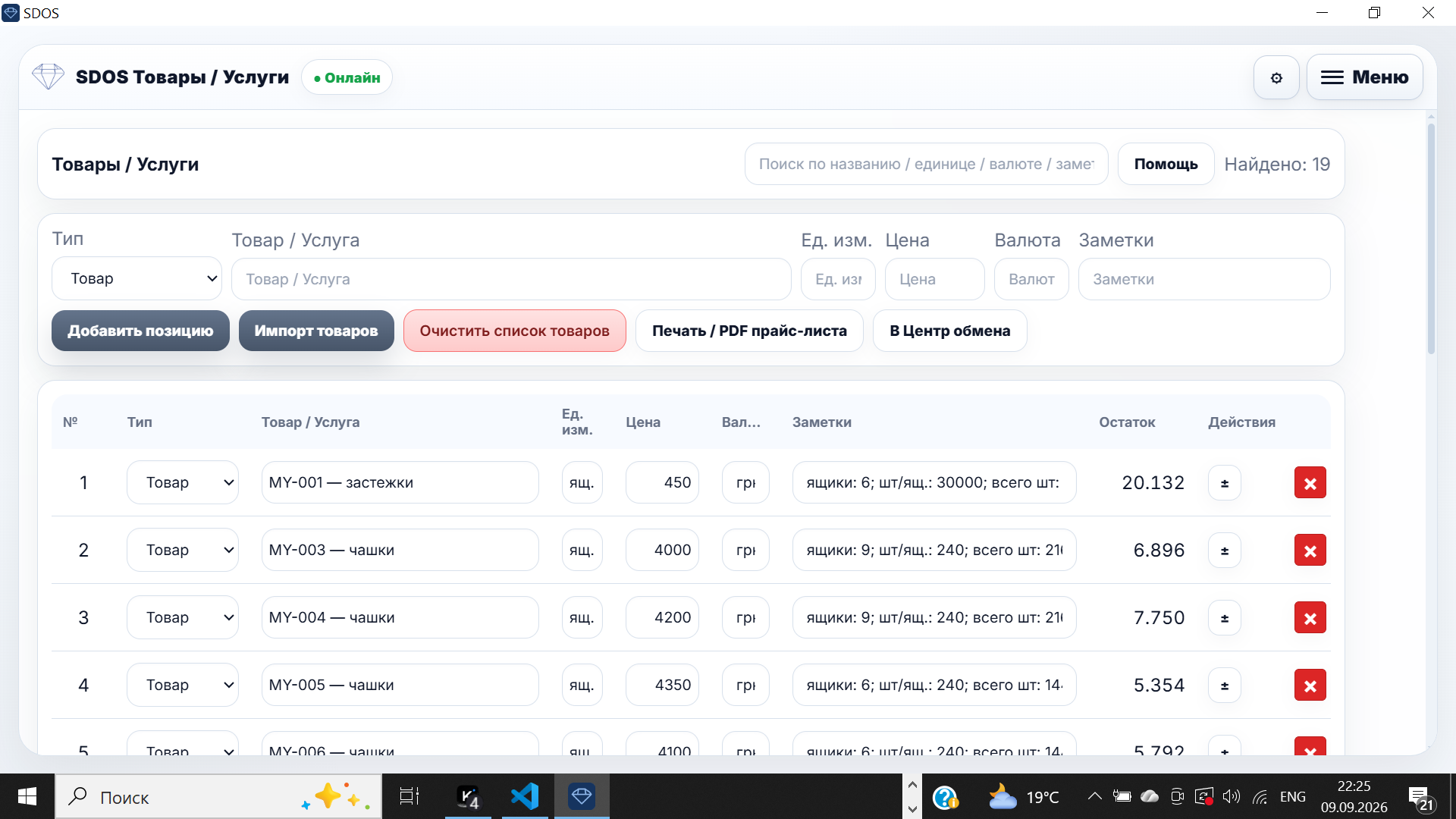
Load products quickly and instantly see current stock levels.

SDOS products and stock levels

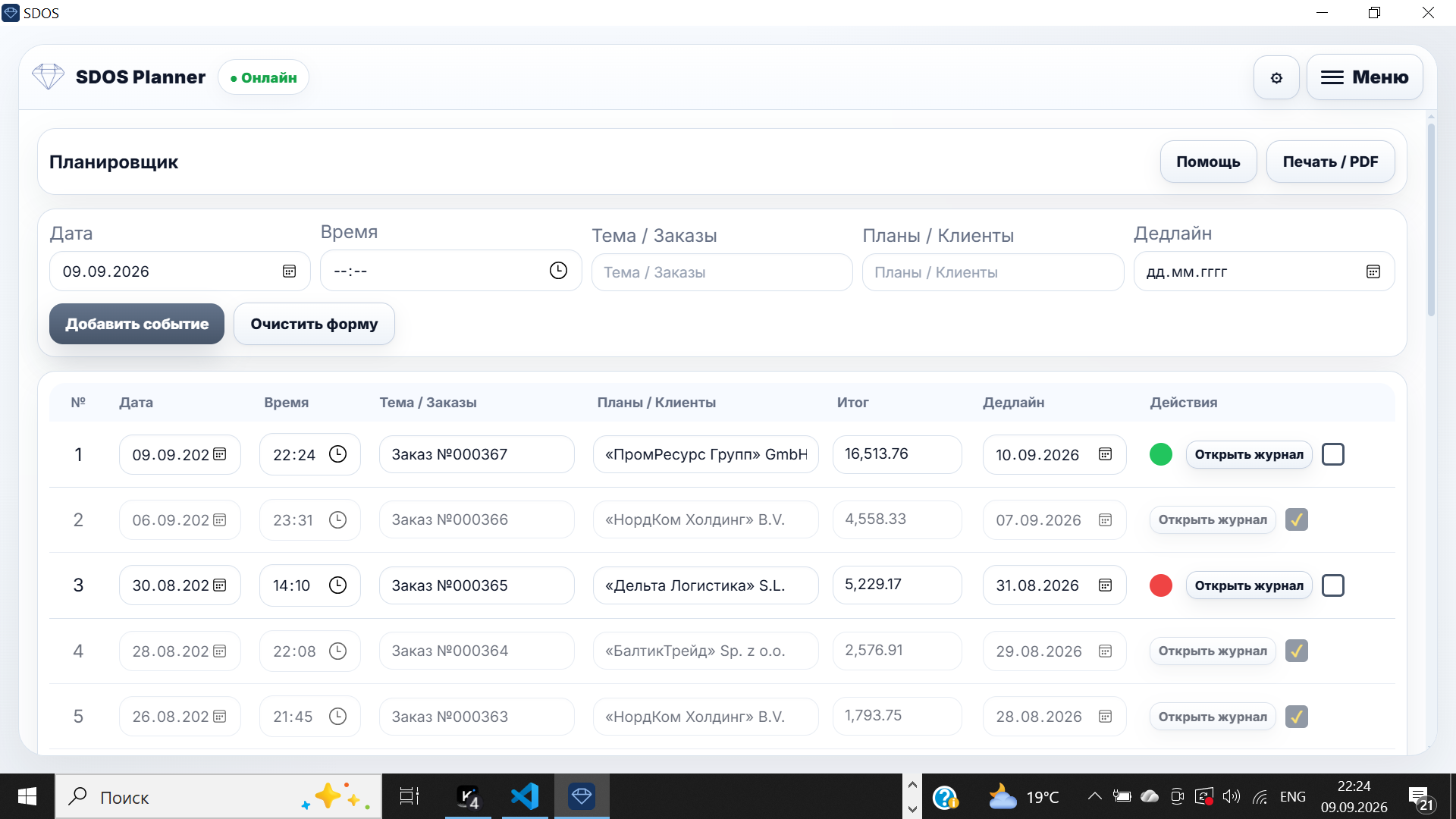
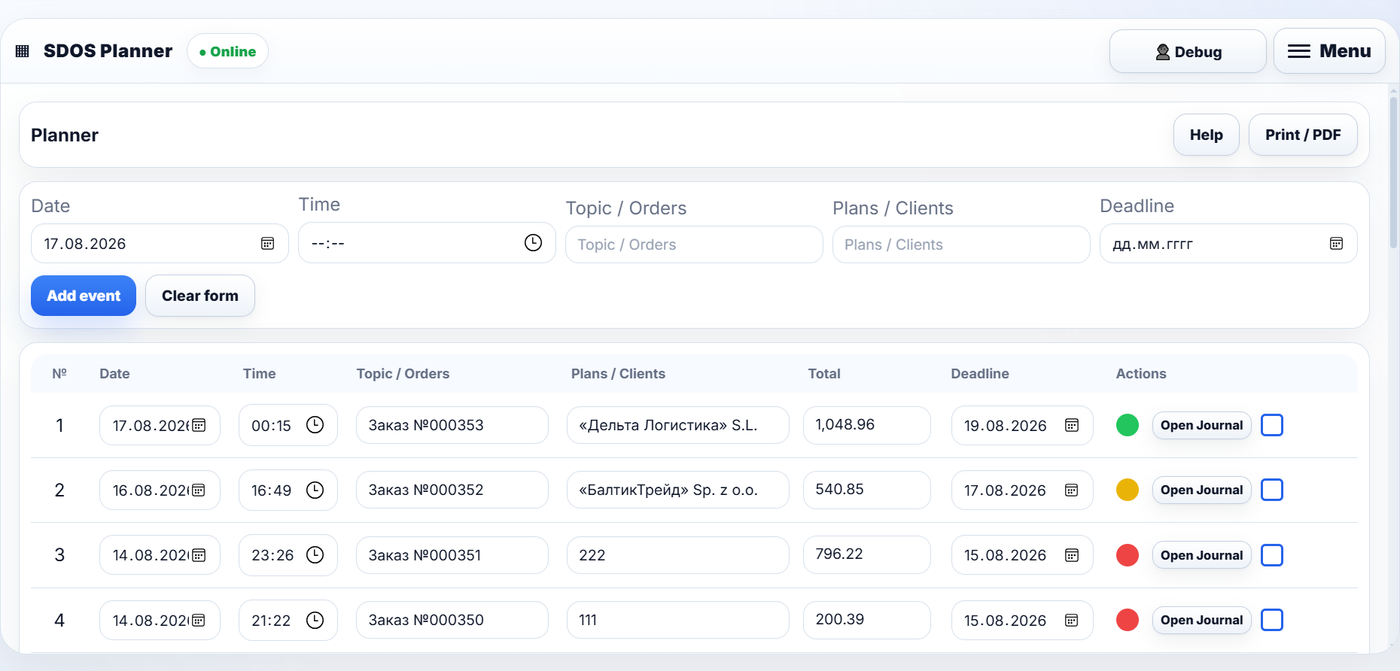
Planning and control

Clear planning, deadline control and next steps.

SDOS planner — deadlines and priorities

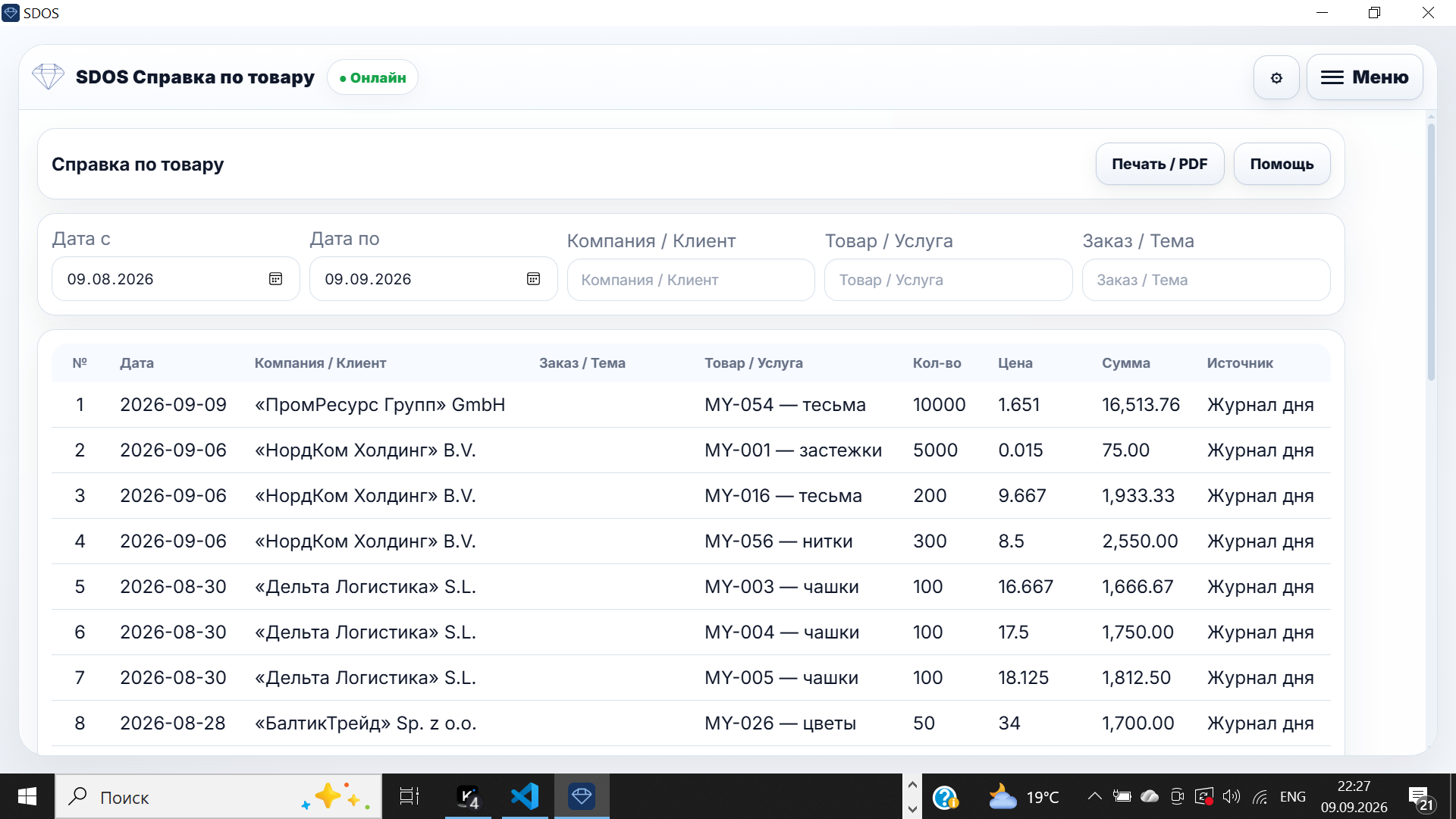
Sales under control

A clear picture of your work and detailed reporting.

SDOS product and sales report

SDOS brings a seller's daily work into one system.

Clients → Orders → Invoices → Products → Planning → Control

Who it’s for

Who SDOS is built for

Small business owner working with orders and packaging
SMB

Small business owners

Keep orders, clients, invoices and daily tasks organized.

Sales and operations team collaborating at a table
Sales

Sales and operations teams

Track requests, follow-ups, deadlines, products and client communication.

Office manager planning work at a laptop
Office

Office managers

One workspace for notes, planning, documents, archives and control.

Freelancer working independently on a laptop
Solo

Freelancers and solo operators

Manage your work without heavy corporate software.

How it works

From a daily note to a business action

01

Capture

Write down an order, a client request, a plan, a task or a note.

02

Organize

Link the entry to Planner, clients, products and deadlines.

03

Act

Share, print, create an invoice or prepare the next step.

04

Analyze

Archives and reports show what is done and what is still in progress.

Interface

This is what a working day looks like in SDOS

Real app screens — no embellishments. A calm, structured interface for everyday work.

Modules

Modular system

12 focused modules — each with its own job, each practical. Every tool serves real everyday work.

Orders / Notes

Daily logging of orders, plans, tasks and notes, with a structure for working hours.

Capture · Daily Journal

Planner

Tasks, order follow-ups, deadlines and daily priorities.

Organize · Planner

Clients

A client base: details, notes, calls and contact history.

CRM · Clients

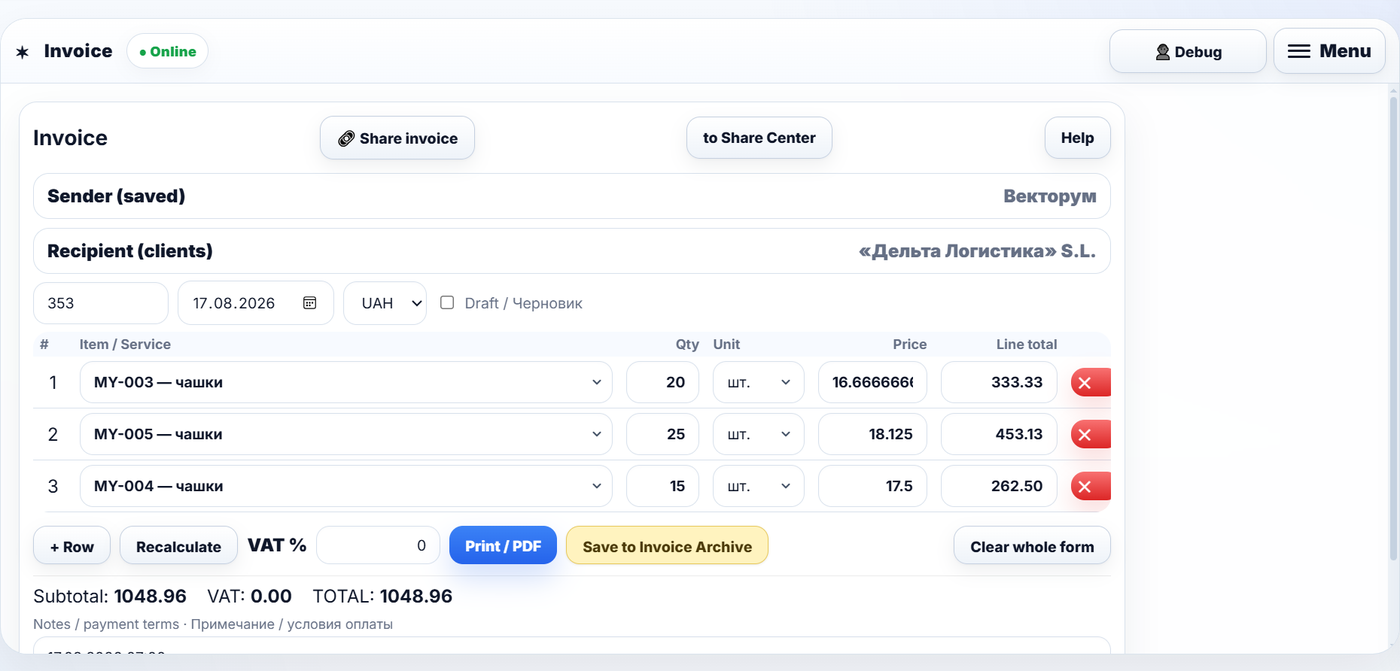
Invoices

Invoice preparation and an archive of issued documents.

Documents · Invoice
Mini-warehouse

Goods and reports

A product catalog with prices and stock: boxes and pieces tracked, stock movements and period reports.

Stock · Goods & Reports

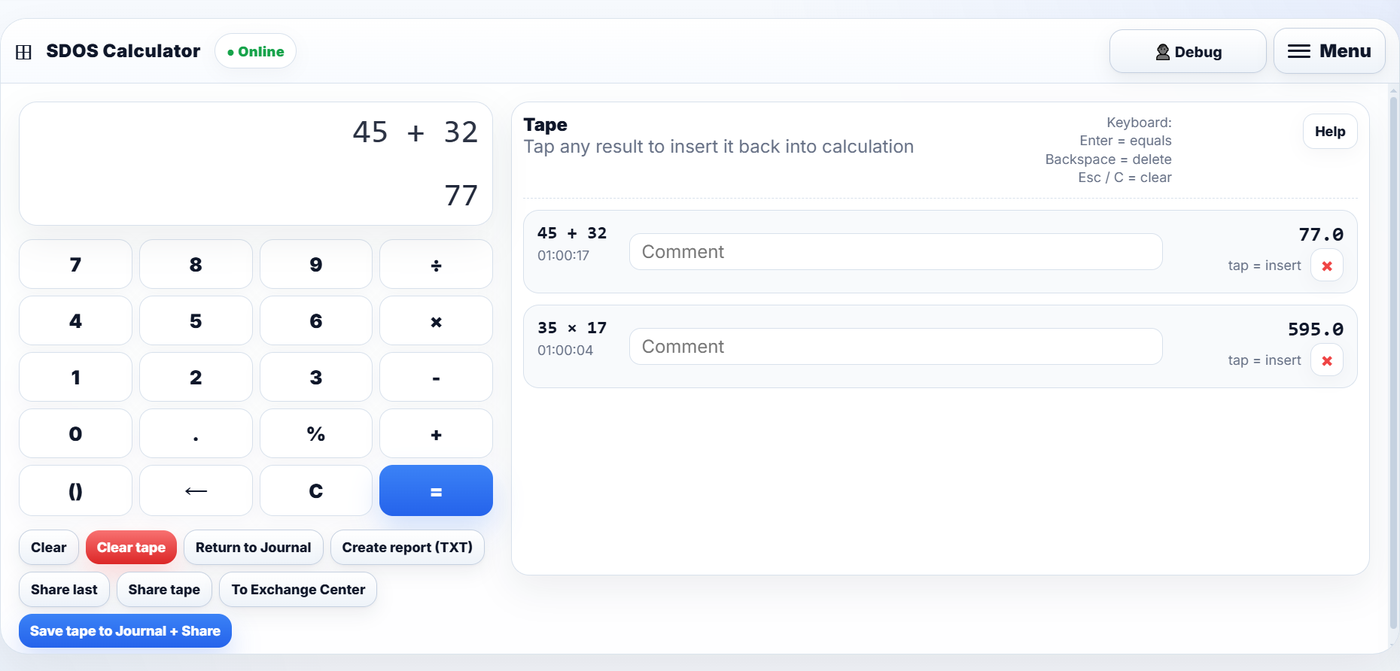
Currency / Calculator / Sharing

Auxiliary tools for everyday business operations.

Tools · Exchange · Share

About the product

Built for practical control

SDOS is a complete environment for daily sales work. Version 1.0 focuses on clarity, speed and practical everyday use. Secure authentication and user accounts are already available. Next stages will add cloud features.

A clear local workflow

Everything is structured for practical daily work without unnecessary complexity.

Structured data

All records — orders, clients, invoices, products — are organized and accessible.

Secure authentication

Available now: secure sign-in, user accounts and protected workspaces.

SDOS plans

Paid subscriptions: $7.99 / $39 / $69. Free 7-day trial — no card required.

Start with a clear working day

Open SDOS, test the modules and see how orders, planning, clients and documents work together in one calm space.

Install SDOS

The SDOS app downloads and installs with no complex setup. Start with 7 days of full access — no card required.

SDOS for Windows is digitally signed

The SDOS application for Windows is digitally signed by Vectorum using a Code Signing Certificate issued by SSL.com. The authenticity of the signature can be verified by Microsoft Windows.

Publisher: Vectorum · Code Signing Certificate: SSL.com

Digital signature information